
Today’s release is aimed to improve operational efficiency and user action visibility in Connect. This release introduces improved firmware update process/diagnostics download, audit logs, charger access groups and a lot more!
Improved FW updates / diagnostics downloads
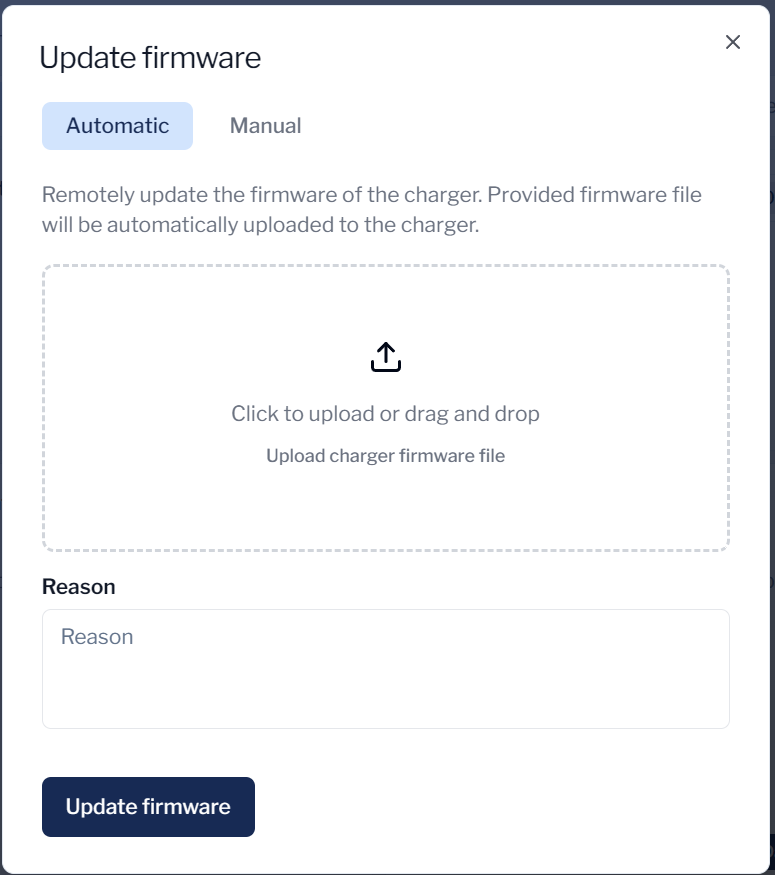
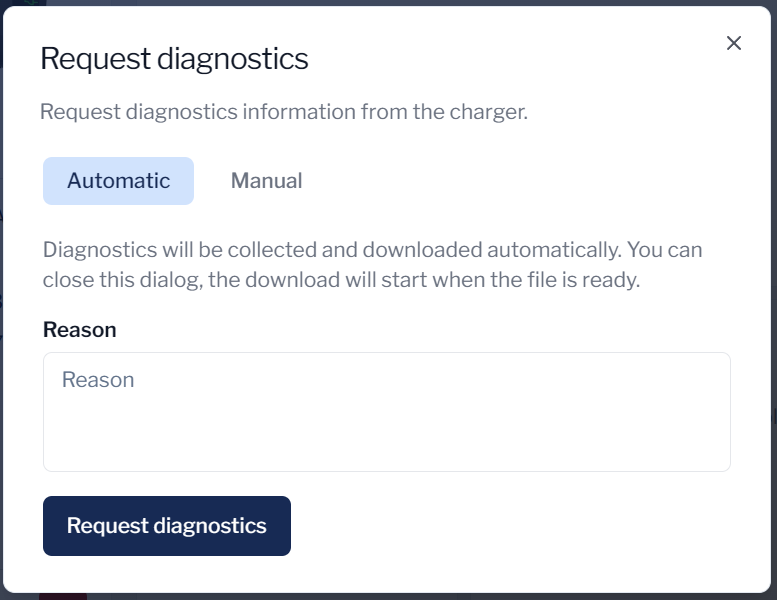
Firmware updates and diagnostics downloads have used to be quite cumbersome while requiring you to hassle with your FTP server. We are now introducing an automated process for updating firmwares and downloading diagnostics without any hassle. You can now handle both operations straight from Connect.
Audit logs
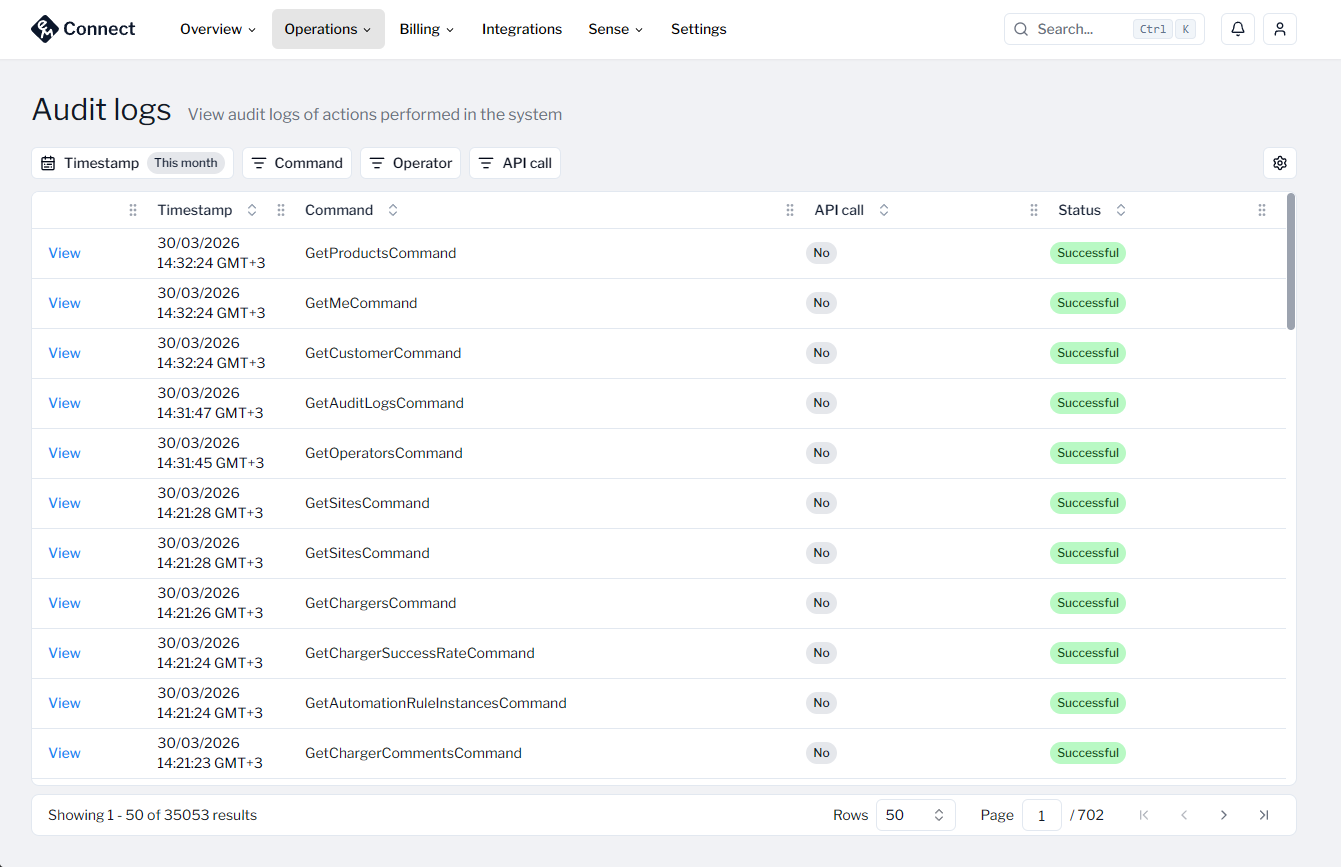
To improve visibility of done actions in the Connect and through the APIs, we are introducing Audit logs to Connect. Audit logs will give you full visibility of what your operations have done. Powerful filters allow you to pinpoint specific operators, commands and timestamps. Audit logs even provide you information about requests done via REST APIs. Audit logs are available for operators with Global Admin permission.
Charger access groups
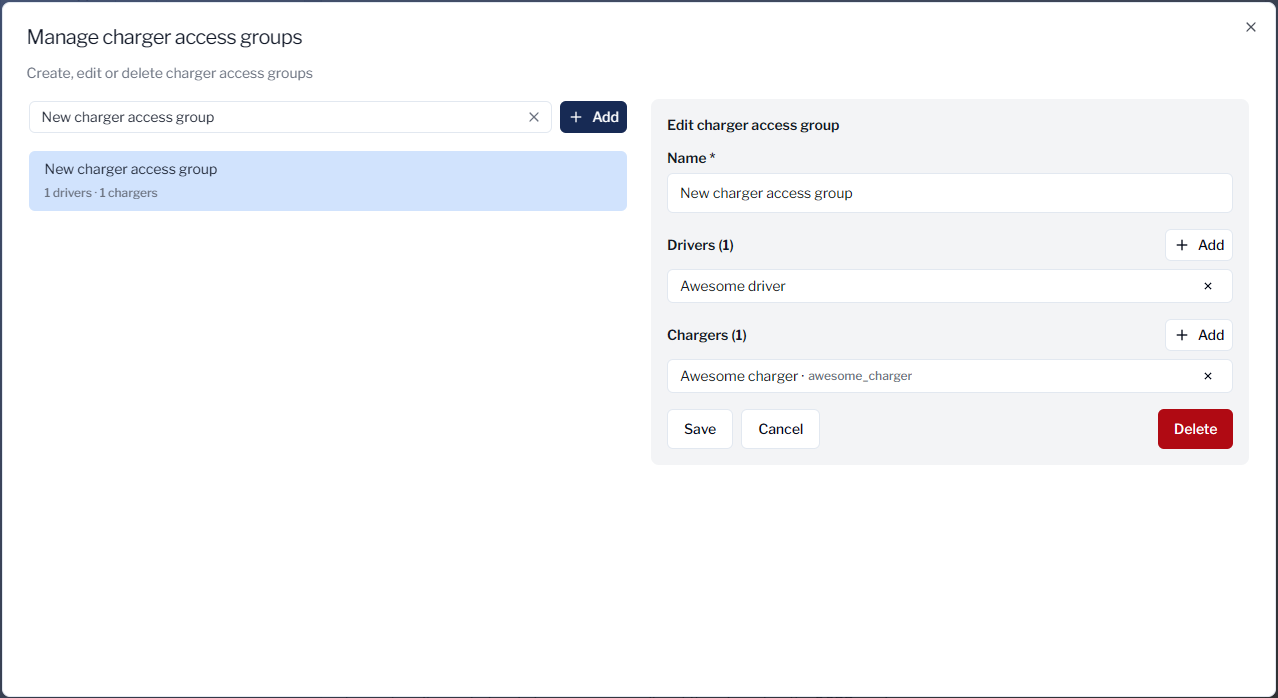
We have heard your feedback about providing charger access to drivers not being versatile enough for more complex use cases. That’s why we are introducing Charger access groups. Charger access groups allow you to create separate access groups outside the normal site structure. Assign chargers and drivers into the same charger access group and all drivers assigned to that group will automatically get access to all chargers in the same group. Charger access groups combined with the existing direct charger access and site access provide you unlimited possibilities for managing access in a way that best suits you. Charger access groups are available under Driver and Charger pages under “Access”.
Other features released
-
New Sockets list! See the status of all your sockets in one view and filter them in the same way as you can filter Chargers.
-
New Power view in Data Insights. See hourly snapshots of how much power your chargers have used across your network.
-
Improved filters on site and charger Sessions page. Now you can filter with chargers and sockets more easily.
-
New logs view for UtilityCloud connections for better visibility of the communication between systems.
-
Introduced new option to send socket name instead of socket id with EVSE id on Roaming advanced settings
-
Bug fix: sometimes Data Insights reports didn’t check user’s prefered timezone and showed data in UTC only. Reports now use user’s timezone always.
-
Other small bug fixes