
April has been a busy month for us as we have put our efforts in making the last week’s database maintenance possible. Despite this, we are happy to announce the following improvements on the platform: new spot optimization settings for DLM, automation improvements and configuration template links.
Spot optimization
.png?cb=7ef29d30a6732de47093be901f76e13f)
We are happy to introduce a new way to manage charging: spot optimization. Spot optimization allows you to select a bidding zone for a DLM-enabled site which can then be used to throttle charging on the site’s chargers. Spot optimization mode for each charger can be set separately.
Currently supported modes are:
-
Always charge - Prioritize charging, no matter the spot price -
Balanced - Balance charging and cost savings-
Prevents charging during “High price”
-
-
Save costs - Only charge when the prices are low-
Prevents charging during “High price” and “Elevated price”
-
Spot optimization modes for chargers can be set under Charger > Energy management in Connect or via API.
Automation improvements
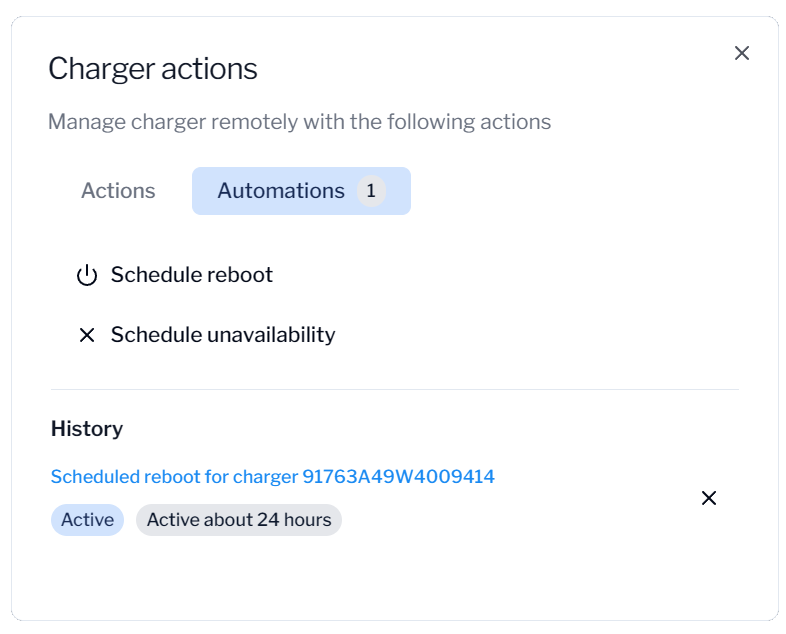
We have heard your feedback on automations and have made some operational improvements. We are introducing scheduled reboots and socket unavailability to charger actions! This makes it easier to handle your maintenance windows without a need to wait for your sockets to become available: automations handles it for you.
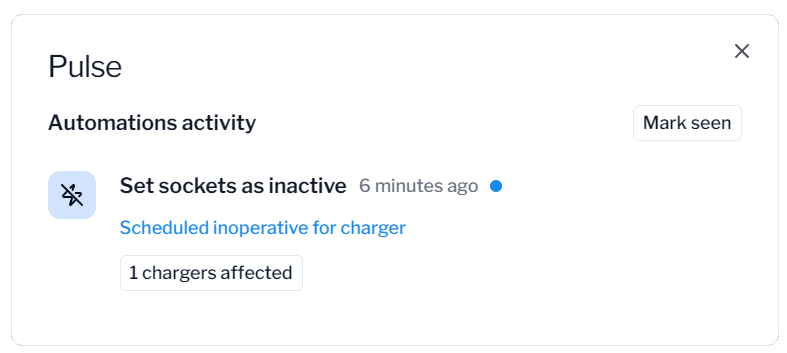
We have also drastically improved the visibility and logging of automations. Now you can find a new Pulse button on the navigation bar, which opens the “Automations activity” view. The new “Automations activity” shows you all the actions that the automations have initiated, so it is easy to track when something happens behind the scenes. Each automation page now also has “Activity” view, which shows you a timeline of the automation execution. You can just create the automation rules and let the platform handle the rest, you will be notified once something happens!
Automations require an active Pulse subscription. If you want to hear more, please don’t hesitate to contact us!
Configuration template links
Based on the received feedback we have also improved configuration templates and how to apply them in scale. New configuration template “links” allows you to add labels or custom properties to configuration templates, which will be used to link chargers to certain templates. When labels or custom properties have been added to the selected configuration templates, all chargers which have the same label/custom property will automatically get the linked configuration template pushed to them. This eliminates the need of manually managing configurations being in sync: all you need to do is to set the correct label in place and we will automatically push the correct configurations to the charger.
Improved handling of incomplete charging sessions
According to the OCPP specification, chargers must always send a stop transaction message when a charging session ends. However, some chargers fail to do so, for example due to connectivity issues, charger reboots, or firmware bugs in the charger. Previously, these incomplete sessions could be lost during cleanup, resulting in gaps in session data.
With this release, incomplete sessions are now automatically recovered and saved before being cleaned up. The system derives actual consumption from available measurement data and runs the full cost calculation pipeline, so recovered sessions include accurate energy and cost figures along with site, tariff and origin metadata.
Other features released
-
Improved search functionality! Search now shows a better preview of charger/socket statuses and you can filter what type of results you want to see. Sockets are also now listed as separate results.
-
Charging session issues are now available. If we have identified some issue with the session, we flag it and the flagged issues are now visible on the sessions list and view. Hover on the issue to find details!
-
New “Capabilities” field for sockets, which gets passed to roaming partners
-
New “Parking restrictions” field for chargers, which gets passed to roaming partners
-
New “Opening times” fields for sites, which gets passed to roaming partners
-
Improved tariff price element creation and update UX by making it more clear how the price elements work.
-
Other small bug fixes