
Today’s release is aimed to improve troubleshooting and visibility of different events during charging sessions in Connect. We are happy to introduce improved metrics for charging sessions and DLM!
Improved DLM metrics
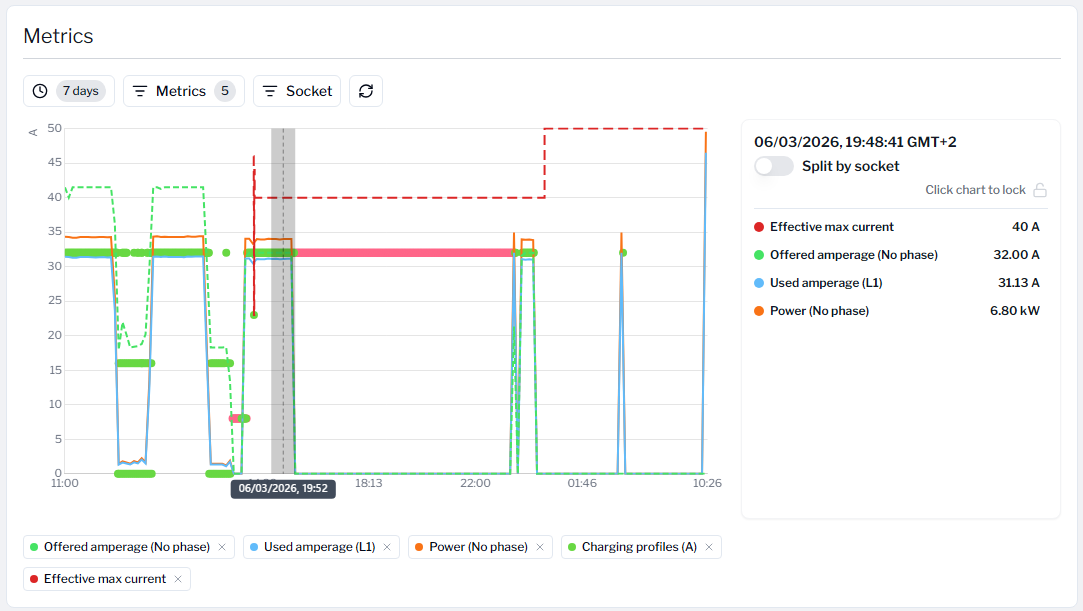
With new metrics seeing what is happening on DLM-enabled sites is easier than ever. New metrics view allows you to select the metrics you want to see at the same time. Drilling deeper into data is possible by dragging over the desired time range. Clicking the chart freezes the details pane on the right side which allows you to further analyze the different metrics. You also have the option to filter data by sockets, so if you want to see individual socket behavior that is also now easier than ever.
Improved ongoing & charging session views
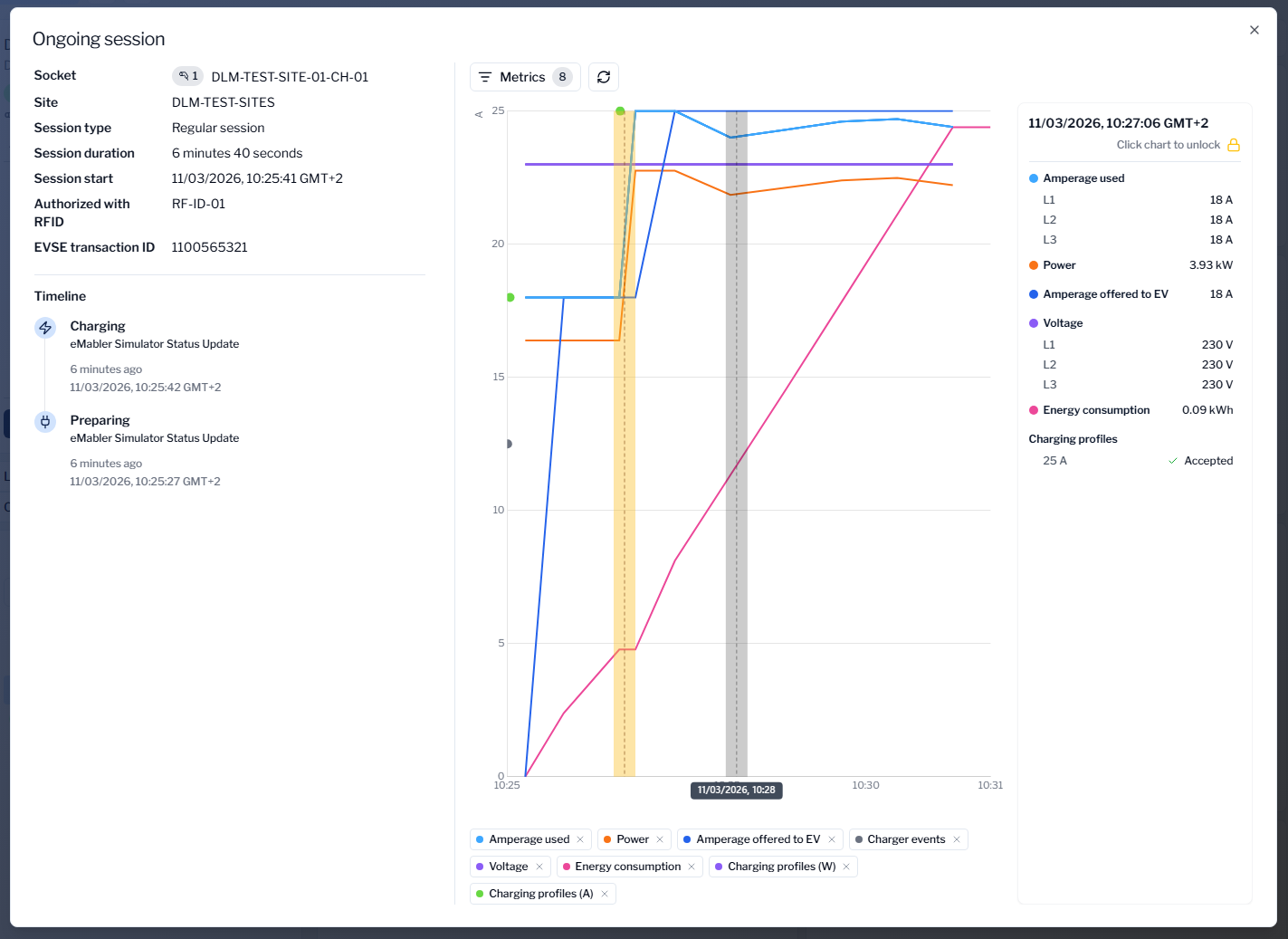
Ongoing session view has now also been improved. We have adjusted the layout to fit more meaningful data without the need of scrolling. We have introduced similar powerful metrics to the ongoing session view to allow you to see exactly what is currently happening. We have even introduced new metrics which were not available before in the ongoing session view like “Amperage offered to EV”, “Charger events” and “Charging profiles”.
Charging session view has also been improved. We have introduced new metrics there as well and combined the old “Cost development” card as separate metrics options. Everything is now available in one place without the need to jump between different views.
Other features released
-
Chargers list now has “Charger type” filter, which allows you to filter chargers based on their power type (AC/DC/Other). This selection is checked against the chargers' socket details.
-
Same “Charger type” filter is also available in the “Apply configuration templates” view to make filtering chargers even easier.
-
Bug fix: When linking drivers to UtilityCloud using driver identifier, the “Valid from” field would crash sometimes.
-
Bug fix: Express sessions filters didn’t filter sessions correctly.